Monday, 15 December 2025

URL Structure Best Practices for SEO


A good URL structure helps search engines and users understand your page content easily.

Clean URLs improve rankings, clicks, and user experience.


What Is URL Structure?

URL structure is the format of a webpage link.

Example:
yoursite.com/seo-url-structure
 yoursite.com/index.php?id=123

Why URL Structure Is Important for SEO

Good URL structure:

  • Helps Google understand page topic

  • Improves user trust

  • Increases click-through rate

  • Makes sharing easy

Best Practices for SEO-Friendly URLs

1. Keep URLs Short and Simple
Short URLs rank better and are easier to remember.

2. Use Keywords in URLs
Add your main keyword naturally.

Example:
/seo-url-best-practices

3. Use Hyphens (-) Instead of Underscores (_)
Google reads hyphens as word separators.

 seo-url-structure
 seo_url_structure

4. Avoid Numbers and Special Characters
They confuse users and search engines.

5. Use Lowercase Letters
Lowercase URLs avoid duplicate issues.

6. Avoid Stop Words
Remove words like and, the, of, to where possible.

7. Use Logical Folder Structure
Organize content properly.

Example:
/blog/seo/url-structure

URL Structure Mistakes to Avoid

 Long URLs
 Keyword stuffing
 Auto-generated URLs
 Frequent URL changes

Final Thoughts on URL Structure

A clean URL structure is a small but powerful SEO factor.
Once set correctly, it helps your website for a long time.

How to Use Google Search Console for SEO


Google Search Console (GSC) is a free tool by Google that helps website owners understand how their site performs in Google Search.

If you want to improve your SEO, learning Google Search Console is very important.


What Is Google Search Console?

Google Search Console shows:

  • How your website appears in Google

  • Which keywords bring traffic

  • How many clicks and impressions you get

  • Website errors and issues

It helps you monitor, fix, and improve SEO performance.

Why Google Search Console Is Important for SEO

GSC helps you:

  • Find ranking keywords

  • Improve click-through rate (CTR)

  • Fix indexing problems

  • Check mobile usability

  • Track website performance

It gives real data directly from Google.

How to Use Google Search Console (Step by Step)

Step 1: Add and Verify Your Website
Add your website to Google Search Console and verify ownership using:

  • HTML file

  • DNS record

  • Google Analytics

Step 2: Check Performance Report

This is the most important section.

It shows:

  • Total clicks

  • Impressions

  • Average CTR

  • Average position

Use it to:

  • Find keywords ranking on page 2

  • Improve low-CTR pages

  • Update old content

Step 3: Inspect URLs

Use the URL Inspection tool to:

  • Check if a page is indexed

  • Request indexing after publishing

  • See crawl issues

Step 4: Submit Sitemap

Submitting a sitemap helps Google crawl your website faster.

Go to:

  • Sitemaps → Add sitemap URL → Submit

Step 5: Fix Coverage & Page Errors

Check:

  • Not indexed pages

  • Crawl errors

  • Redirect issues

Fixing these improves SEO health.

Step 6: Check Mobile Usability

Google uses mobile-first indexing.

Fix:

  • Text too small

  • Clickable elements too close

  • Screen width issues

Final Thoughts on Google Search Console

Google Search Console is a must-use tool for SEO.
If you regularly check and fix issues, your website will perform much better in search results.

SEO Checklist Before Publishing a Blog Post

 Publishing a blog without SEO is like opening a shop without a signboard.

Before you click the Publish button, you must make sure your blog is fully optimized for search engines and users.

This SEO checklist will help you avoid mistakes and improve your chances of ranking on Google.


1. Choose One Main Keyword

Every blog post should target one main keyword.

Make sure:

  • The keyword matches search intent

  • It is relevant to your topic

  • It is not too competitive

📌 Example:
Instead of “SEO”, use “SEO checklist for blog posts”.

2. Optimize the Title Tag

Your title is the first thing users see on Google.

Checklist:

  • Include main keyword

  • Keep it under 60 characters

  • Make it attractive and clear

Example:
SEO Checklist Before Publishing a Blog Post

3. Write a Compelling Meta Description

Meta description encourages users to click.

Checklist:

  • 150–160 characters

  • Include main keyword

  • Explain what the blog is about

Even though it doesn’t directly affect ranking, it improves CTR.

4. Use Headings Properly (H1, H2, H3)

Good structure helps both users and search engines.

Checklist:

  • Only one H1 heading

  • Use H2 for main sections

  • Use H3 for sub-sections

  • Add keywords naturally

5. Check Content Quality

Before publishing, ask:

  • Is the content helpful?

  • Is it easy to read?

  • Does it fully answer the topic?

Checklist:

  • No grammar mistakes

  • Short paragraphs

  • Bullet points where needed

  • Original content

6. Optimize Images

Images improve user experience but must be optimized.

Checklist:

  • Compress image size

  • Use descriptive file names

  • Add ALT text with keywords

  • Avoid heavy images

7. Improve URL Structure

A good URL helps SEO.

Checklist:

  • Short and clean URL

  • Include main keyword

  • Avoid numbers and symbols

Example:
yoursite.com/seo-checklist
yoursite.com/p=123

8. Add Internal Links

Internal linking helps Google crawl your website.

Checklist:

  • Link to relevant older posts

  • Use natural anchor text

  • Don’t overdo links

9. Add External Links (If Relevant)

Linking to trusted sources improves credibility.

Checklist:

  • Use high-quality websites

  • Open links in new tab

  • Avoid spammy sites

10. Check Mobile & Page Speed

Most users read blogs on mobile.

Checklist:

  • Mobile-friendly design

  • Fast loading speed

  • No broken layout

11. Proofread Before Publishing

Final check:

  • Spelling mistakes

  • Broken links

  • Formatting issues

  • Readability


Final Thoughts

SEO starts before you publish.
Using this checklist every time will improve your rankings, traffic, and user experience.

Make SEO a habit, not a one-time task.

Sunday, 14 December 2025

2. Off-Page SEO Explained: What Really Matters


Off-Page SEO refers to actions taken outside your website to improve its authority, trust, and rankings.

It shows Google how popular and reliable your website is.


What Is Off-Page SEO?

Off-Page SEO includes:

  • Backlinks

  • Brand mentions

  • Social media presence

  • Reviews

  • Online reputation

These factors help Google decide if your site is trustworthy.

Why Is Off-Page SEO Important?

Off-Page SEO is important because:

  • It builds website authority

  • It improves search rankings

  • It increases brand visibility

  • It brings referral traffic

Google trusts websites that other websites trust.

What Really Matters in Off-Page SEO

1. Quality Backlinks
Backlinks from relevant and trusted websites are the most important factor in Off-Page SEO.

2. Link Relevance
Links should come from websites related to your niche.

3. Natural Anchor Text
Use natural words instead of over-optimized keywords.

4. Social Media Activity
Social media helps spread content and bring traffic.

5. Brand Mentions
Even without links, brand mentions help build trust.

6. Online Reviews
Positive reviews improve credibility, especially for local businesses.

Off-Page SEO Mistakes to Avoid

  • Buying spammy links

  • Comment spamming

  • Low-quality directories

Final Thoughts

Off-Page SEO is about trust, authority, and quality.
Focus on building real relationships and valuable links for long-term SEO success.

On-Page SEO Explained: Step-by-Step Guide


On-Page SEO is the process of optimizing elements on your website so search engines can understand your content better and rank it higher.

It focuses on improving content quality, structure, and user experience.


What Is On-Page SEO?

On-Page SEO includes everything you can control on a webpage, such as:

  • Content

  • Keywords

  • Headings

  • Images

  • URLs

  • Internal links

Good On-Page SEO helps both users and Google.

Why Is On-Page SEO Important?

On-Page SEO is important because:

  • It improves search rankings


  • It increases organic traffic

  • It helps Google understand your content

  • It improves user experience

Even great content may not rank without proper On-Page SEO.

Step-by-Step On-Page SEO Guide

Step 1: Choose the Right Keyword
Select a keyword that matches what users are searching for and has reasonable competition.

Step 2: Optimize Title and Meta Description

  • Add your main keyword in the title

  • Keep title under 60 characters

  • Write a clear and attractive meta description

Step 3: Write Quality Content
Your content should:

  • Be helpful

  • Be easy to read

  • Answer user questions clearly

Step 4: Use Headings Properly

  • Use one H1 heading

  • Use H2 and H3 for subtopics

Step 5: Optimize Images

  • Compress images

  • Add ALT text with keywords

Step 6: Improve URL Structure
Use short and keyword-rich URLs.

Step 7: Add Internal Links
Link to other relevant pages on your website.

Common On-Page SEO Mistakes

  • Keyword stuffing

  • Duplicate content

  • Missing ALT text

  • Poor page structure

Final Thoughts

On-Page SEO is the foundation of SEO.
If your on-page optimization is strong, your website has a much better chance to rank on Google.

Saturday, 13 December 2025

Content Length for SEO: How Long Should a Blog Be?

 One of the most common questions in SEO is:

“How long should a blog post be to rank on Google?”

Some people say short content is best. Others say long content ranks higher.
The truth is: there is no one perfect length, but there are best practices.

In this blog, you’ll learn ideal blog length for SEO, what Google prefers, and how to choose the right length for your content—in very simple English.


Does Content Length Matter for SEO?

Yes, content length matters, but quality matters more.

Google does not rank content just because it is long.
Google ranks content that:

  • Answers the user’s question clearly

  • Covers the topic completely

  • Is useful and well-structured

However, longer content usually performs better because it explains things in more detail.

Ideal Blog Length for SEO (Quick Answer)

Here is a simple guide:

Content TypeRecommended Length
Short blog / news300–600 words
Standard blog post800–1,200 words
SEO-focused blog1,200–2,000 words
In-depth / pillar content2,000–3,000+ words

For SEO blogs, 1,200+ words is ideal in most cases.

Why Longer Content Often Ranks Better

Longer content usually ranks better because:

  • Covers topic in detail

  • Targets more keywords naturally

  • Gets more backlinks

  • Keeps users longer on the page

  • Builds trust and authority

But remember:
❌ Long + useless content = no ranking
✅ Long + valuable content = higher ranking

When Short Content Works Well

Short content can still rank if:

  • The topic is simple

  • Search intent is quick answer

  • Low competition keywords

  • Local or news-based content

Examples:

  • Definition articles

  • Announcements

  • Updates

  • FAQs

📌 Not every blog needs 2,000 words.

Google’s Focus: Search Intent

Google cares most about search intent.

Ask yourself:

  • Is the user looking for quick info?

  • Do they want a detailed guide?

  • Are they comparing options?

  • Do they want step-by-step instructions?

Example:

Keyword: “What is SEO?”
→ Long detailed guide works best

Keyword: “SEO full form”
→ Short answer works best

Content Length vs Competition

High competition keywords need better and longer content.

  • Low competition → 800–1,000 words can rank

  • Medium competition → 1,200–1,800 words

  • High competition → 2,000+ words

Always check the top-ranking pages and match or beat their quality.

Does Google Penalize Short Content?

❌ No, Google does not penalize short content.
But Google may ignore thin content (content with no value).

Thin content examples:

  • 300 words with no useful info

  • Copy-paste content

  • Keyword stuffing

  • AI content without editing

Best Practices for SEO Content Length

Instead of focusing only on word count, focus on:

✔ Cover the topic completely
✔ Use headings (H1, H2, H3)
✔ Add examples and lists
✔ Use internal linking
✔ Write for humans first
✔ Avoid unnecessary fluff

If your content answers all questions, length will automatically be right.

Ideal Content Length for Beginners

If you are starting a blog, follow this:

  • Aim for 1,000–1,500 words

  • Write clear and simple English

  • Focus on one main keyword

  • Answer related questions

  • Be consistent

This is the sweet spot for most SEO blogs.

Final Answer: How Long Should a Blog Be?

👉 There is no fixed number
👉 1,200–2,000 words works best for SEO
👉 Quality + intent + structure matter most

Write content that helps users, and Google will reward you.

Final Thoughts

Content length is important, but usefulness is more important.
Instead of asking “How long should my blog be?”, ask:

Local SEO: How to Rank Your Business Locally

 Local SEO is one of the most powerful ways for small and medium businesses to get customers from their nearby area. When people search for things like “restaurant near me”, “mobile shop in Islamabad”, or “best dentist near me”, Google shows local results first.

If your business is not showing there, you are losing customers every day.

In this blog, you will learn what Local SEO is, why it is important, and step-by-step how to rank your business locally in very easy English.


What Is Local SEO?

Local SEO (Local Search Engine Optimization) is the process of optimizing your business so it appears in local search results on Google.

Local SEO helps your business show up in:

  • Google Maps

  • Google “3-Pack” (top 3 local businesses)

  • Local search results

Example:
If someone searches “coffee shop near me”, Google shows nearby coffee shops.
Local SEO helps your shop appear there.

Why Is Local SEO Important?

Local SEO is important because:

  • People search locally before buying

  • Local searches have high conversion rate

  • It brings real customers, not just website visitors

  • It is cheaper than paid ads

  • Small businesses can compete with big brands

📌 Fact: More than 70% of local searches lead to a store visit within 24 hours.

How Google Ranks Local Businesses

Google uses three main factors to rank local businesses:

  1. Relevance – How relevant your business is to the search

  2. Distance – How close your business is to the user

  3. Prominence – How popular and trusted your business is

Your goal in Local SEO is to improve all three.

Step-by-Step Guide to Rank Your Business Locally

1. Create and Optimize Google Business Profile (Most Important)

Google Business Profile (GBP) is the heart of Local SEO.

How to optimize it:

  • Use your real business name

  • Choose correct category (e.g., Mobile Phone Store)

  • Add complete address

  • Add phone number

  • Add business hours

  • Write a keyword-rich description

  • Upload real photos of your shop, products, team

  • Add services and products

📌 Tip: Update your profile weekly to stay active.

2. Use Consistent NAP Information

NAP means:

  • Name

  • Address

  • Phone Number

Your NAP must be exactly the same everywhere:

  • Website

  • Google Business Profile

  • Facebook

  • Business directories

❌ Different spellings confuse Google
✅ Same information builds trust

3. Optimize Your Website for Local SEO

Your website must tell Google where you are located.

Do these things:

  • Add city name in title (Example: Best Mobile Shop in Rawalpindi)

  • Add location pages if you serve multiple areas

  • Add address and phone number in footer

  • Add Google Map on contact page

  • Use local keywords in content

Example keywords:

  • Mobile accessories shop in Islamabad

  • Best clothing store in Lahore

  • Cheap laptop repair in Rawalpindi

4. Get Customer Reviews (Very Powerful)

Reviews increase trust and ranking.

How to get reviews:

  • Ask customers politely after service

  • Share review link on WhatsApp

  • Put a QR code at your shop

  • Reply to all reviews (positive & negative)

📌 Businesses with more good reviews rank higher.

5. Add Your Business to Local Directories

List your business on:

  • Google Business Profile

  • Facebook Business

  • Yelp

  • Local Pakistani business directories

Make sure:

  • Same name

  • Same address

  • Same phone number

This increases local authority.

6. Use Local Keywords in Content

Write content that targets your area.

Examples:

  • “Best Mobile Accessories Shop in Islamabad”

  • “Top 5 Clothing Stores in Bahria Town”

  • “Why Our Pharmacy Is Trusted in Rawalpindi”

You can also write:

  • Local blog posts

  • Local guides

  • Area-specific FAQs

7. Optimize for Mobile Users

Most local searches happen on mobile phones.

Your website should:

  • Load fast

  • Be mobile-friendly

  • Have click-to-call button

  • Easy navigation

📌 Google prefers mobile-optimized websites.

8. Build Local Backlinks

Backlinks from local sources help ranking.

Examples:

  • Local blogs

  • Local news websites

  • Business partnerships

  • Local events sponsorship

Even few local backlinks can boost rankings.

Common Local SEO Mistakes to Avoid

❌ Using fake business address
❌ Keyword stuffing in business name
❌ Ignoring reviews
❌ Inconsistent NAP details
❌ No website optimization

Avoid these mistakes to stay safe from Google penalties.

How Long Does Local SEO Take?

Local SEO usually takes:

  • 1–2 months for small improvement

  • 3–6 months for strong local ranking

Results depend on:

  • Competition

  • Reviews

  • Website quality

  • Consistency

Final Thoughts

Local SEO is not hard, but it requires consistency and honesty.
If you optimize your Google Business Profile, get reviews, and use local keywords, your business can rank locally—even against big competitors.

Start today, and local customers will start finding you instead of your competitors.

Friday, 12 December 2025

What Is Programmatic SEO


Programmatic SEO is the process of creating SEO-optimized web pages using templates and structured data. Instead of writing each page manually, content is generated dynamically based on variables such as location, product type, category, or service.

Example:
A travel website creating thousands of pages like:
“Best hotels in New York,”
“Best hotels in London,”
“Best hotels in Dubai.”

Each page follows the same structure but uses different data.


How Programmatic SEO Works

Programmatic SEO typically involves:

  • Keyword research for scalable search terms

  • Creating a content template

  • Using a database or spreadsheet with variables

  • Automatically generating pages

  • Optimizing pages for on-page SEO

The key is to ensure each page provides real value and is not just duplicated content.

Benefits of Programmatic SEO

  • Scales content quickly

  • Targets long-tail keywords

  • Drives consistent organic traffic

  • Cost-effective over time

  • Builds topical authority

When done correctly, programmatic SEO can attract high-intent users who are ready to convert.

When Should You Use Programmatic SEO?

Programmatic SEO is best used when:

  • You have structured data

  • You want to rank for hundreds or thousands of similar queries

  • Each page can offer unique value

  • Manual content creation is not practical

It works well for:

  • E-commerce websites

  • Job portals

  • Real estate platforms

  • Travel and directory websites

  • SaaS tools

When to Avoid Programmatic SEO

Avoid programmatic SEO if:

  • Pages are thin or low quality

  • Content is duplicated without value

  • You lack proper data or technical setup

  • Pages don’t match search intent

Poor execution can lead to indexing issues or ranking penalties.

Best Practices for Programmatic SEO

  • Focus on user intent

  • Add unique content blocks where possible

  • Use internal linking strategically

  • Optimize meta titles and descriptions

  • Monitor indexing and performance regularly

Quality always matters more than quantity.

Conclusion

Programmatic SEO is a powerful growth strategy when used correctly. It allows websites to scale content efficiently while capturing long-tail search traffic. However, success depends on strong data, smart templates, and a commitment to user value. When quality and intent are prioritized, programmatic SEO can deliver long-term organic growth.

Voice Search Optimization Tips for 2025

 Voice search is growing rapidly as users rely more on smartphones and smart assistants like Google Assistant and Alexa. Optimizing for voice search helps your content appear in conversational and question-based searches.

Voice searches are usually longer and more natural than typed searches.


Why Voice Search Matters

  • Voice queries are increasing every year

  • Users ask questions instead of typing keywords

  • Voice search favors clear and direct answers

If your content doesn’t match natural speech, you may miss traffic.

Voice Search Optimization Tips

1. Focus on conversational keywords
Use long-tail keywords and natural phrases instead of short keyword strings.

2. Answer common questions clearly
Create content that directly answers who, what, where, why, and how questions.

3. Optimize for featured snippets
Voice assistants often read answers from featured snippets.

4. Improve page speed and mobile usability
Most voice searches come from mobile devices.

5. Use simple and clear language
Avoid complex sentences. Write as people speak.

Final Thoughts

Voice search optimization is no longer optional. By focusing on natural language, clear answers, and mobile performance, you can prepare your website for how people will search in 2025 and beyond.

How to Do Image SEO the Right Way

 Image SEO is the process of optimizing images so they load faster, appear in image search results, and support overall SEO performance. Properly optimized images improve page speed, user experience, and search visibility.

Many websites ignore image optimization, which often leads to slow loading pages and missed traffic opportunities.


Why Image SEO Matters

Images affect SEO in multiple ways:

  • Faster page loading improves rankings

  • Optimized images help pages rank in Google Images

  • Better user experience reduces bounce rate

Search engines can’t “see” images like humans do, so they rely on optimization signals to understand them.

Choose the Right Image File Name

Before uploading an image, rename the file with clear, descriptive words.

Example:
❌ IMG_2345.jpg
✔ seo-image-optimization-guide.jpg

This helps search engines understand what the image is about.

Use Descriptive Alt Text

Alt text explains an image to search engines and screen readers.

Best practices:

  • Describe the image clearly

  • Use keywords naturally

  • Avoid keyword stuffing

Example:
“SEO optimized image showing website speed improvement”

Compress Images for Faster Loading

Large image files slow down websites.
Use compression tools to reduce file size without losing quality.

Common formats:

  • JPEG for photos

  • PNG for transparent images

  • WebP for better compression and quality

Faster pages perform better in search results.

Use Proper Image Dimensions

Upload images in the correct size instead of resizing them with code.
Oversized images increase load time and affect performance.

Add Images to Sitemaps

Image sitemaps help search engines discover and index images more efficiently, especially on large websites.

Use Responsive Images

Ensure images adapt to different screen sizes.
Responsive images improve mobile experience and support mobile SEO.

Place Images Near Relevant Text

Search engines understand images better when they appear close to related content.
Context improves relevance.

Enable Lazy Loading

Lazy loading delays image loading until users scroll to them.
This improves initial page speed and user experience.

Final Thoughts

Image SEO is not just about visuals — it directly affects performance, rankings, and traffic. By using proper file names, alt text, compression, and responsive design, you can make images work in favor of your SEO strategy.

Thursday, 11 December 2025

 Artificial Intelligence (AI) is reshaping the digital marketing world, especially Search Engine Optimization (SEO). Search engines are becoming smarter, focusing more on user intent and content quality rather than simple keyword matching. As a result, SEO strategies must evolve to keep up with these changes.


AI and Search Engine Algorithms

Modern search engines use AI-based algorithms like RankBrain and BERT to understand search queries more accurately. These systems analyze context, meaning, and intent behind user searches instead of just keywords. This shift means websites must create content that truly answers users’ questions.

SEO Focus: Write helpful, relevant content that matches search intent.

Smarter Keyword Research

AI has transformed keyword research by identifying trends, search intent, and related terms. Instead of targeting one keyword, SEO now emphasizes topic-based content and semantic keywords.

Best Practice: Build content around topics and provide complete answers rather than repeating keywords.

AI-Assisted Content Creation

AI tools can help generate ideas, optimize headlines, improve readability, and suggest SEO improvements. However, search engines still favor original, high-quality content created for humans.

Important: Use AI as a support tool while ensuring human creativity and expertise.

User Experience and Engagement Signals

AI allows search engines to evaluate user behavior such as time spent on a page, click-through rates, and bounce rates. Websites that offer a better user experience tend to rank higher.

SEO Tip: Improve page speed, mobile usability, and content structure.


Voice Search and Conversational SEO

With the rise of AI assistants, voice search is becoming more popular. These searches are conversational and question-based.

Optimization Strategy: Use natural language and include clear answers to common questions.

AI in Technical SEO

AI-powered tools help identify technical issues like broken links, slow pages, and crawl errors. This makes SEO audits faster and more accurate.

Benefit: Improved site performance and better search visibility.

Conclusion

AI is changing SEO by making it more intelligent, user-focused, and data-driven. To succeed, businesses must combine AI tools with strong content, technical optimization, and a user-first mindset. Embracing AI while maintaining quality and authenticity is the key to modern SEO success.

What Are Featured Snippets and How to Win Them

 Featured snippets are special search results that appear at the top of Google’s search page, above regular organic listings. They are often called “position zero” because they show before the first result.

These snippets quickly answer a user’s question, which makes them highly valuable for visibility and clicks.


What Is a Featured Snippet?

A featured snippet is a highlighted box that pulls a short answer from a webpage and displays it directly on the search results page.

It usually includes:

  • A short text answer

  • A list or steps

  • A table

  • Sometimes an image

Featured snippets commonly appear for question-based searches like:

  • What is SEO?

  • How does keyword research work?

  • Why is page speed important?

Types of Featured Snippets

1. Paragraph Snippets
These provide short, direct answers (40–60 words) to questions.

2. List Snippets
Used for steps, tips, or rankings, shown as bullet points or numbered lists.

3. Table Snippets
Appear for comparisons, prices, or data-based queries.

Why Featured Snippets Matter

  • Increase visibility above all other results

  • Build credibility and authority

  • Drive more organic traffic

  • Improve click-through rates

Even if your page ranks lower, winning a featured snippet can push you to the top.

How to Win Featured Snippets

1. Target question-based keywords
Focus on queries that start with what, how, why, when, and best.

2. Provide clear and direct answers
Answer the question immediately after the heading, without unnecessary explanation.

3. Use proper headings (H2 & H3)
Structure your content so Google can easily understand it.

4. Use lists and tables where possible
Step-by-step formats increase your chances of being featured.

5. Improve on existing snippets
Search the keyword and provide a clearer, better-structured answer than the current snippet.

Final Thoughts

Featured snippets are one of the fastest ways to gain visibility on Google without ranking first. By answering questions clearly, using proper formatting, and focusing on user intent, you can increase your chances of earning position zero.

The Role of Internal Linking in SEO


Internal linking refers to linking one page of your website to another page on the same site. It plays an important role in SEO because it helps search engines understand your website structure and guides users to relevant content.

Unlike backlinks, internal links are completely under your control, which makes them a powerful but often overlooked SEO factor.


Why Internal Linking Is Important

1. Helps search engines crawl your website
Search engines use links to discover and index pages. If a page has no internal links pointing to it, it may not be indexed properly.

2. Distributes page authority
Some pages on your website naturally gain more traffic and links. Internal linking helps pass authority from those strong pages to other important pages.

3. Improves website structure
A good internal linking structure creates a clear hierarchy, making it easier for search engines to understand which pages are most important.

4. Improves user experience
Internal links help users find related content easily, increasing time on site and engagement.

Best Practices for Internal Linking

  • Use descriptive anchor text instead of generic words like “click here”

  • Link only to relevant and helpful pages

  • Avoid adding too many links on a single page

  • Regularly check for broken internal links

Conclusion

Internal linking is a simple yet effective SEO strategy. When done correctly, it improves crawling, strengthens page authority, and creates a better experience for users — all of which support higher rankings.

Wednesday, 10 December 2025

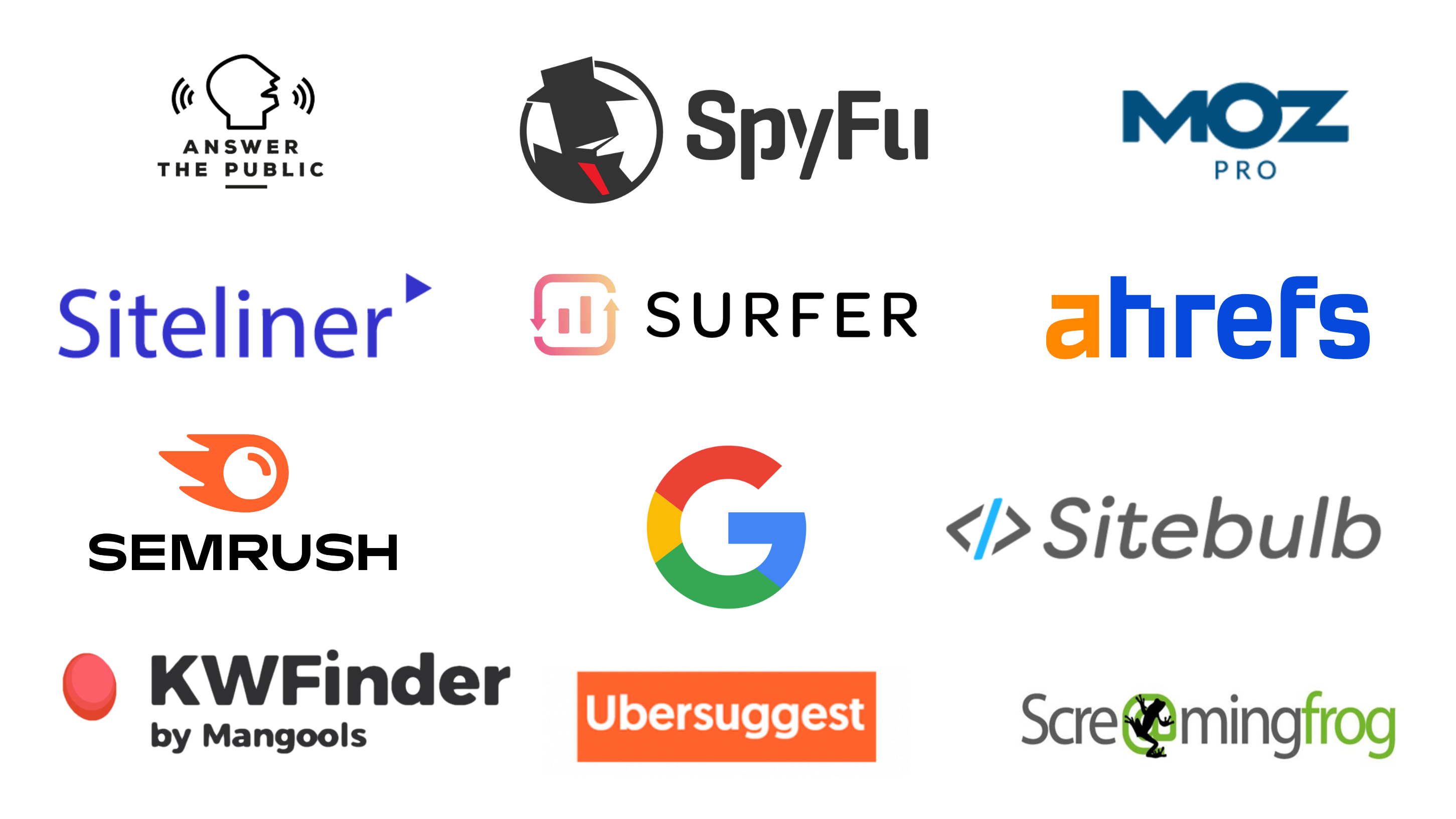
The Best Tools You Should Use in 2025


As SEO becomes more competitive, using the right tools makes a huge difference. The right tool helps you find keywords, analyze competitors, fix technical issues, track rankings, and grow your website faster — without guesswork.

In this blog, we’ll cover the best SEO tools you should use in 2025, what each tool does, who it’s best for, and how it can help you improve your rankings.


1. Google Search Console (Free)

Google Search Console is the single most important tool for SEO beginners and experts alike.
It shows how Google sees your website.

What You Can Do With It

  • See which keywords your site ranks for

  • Monitor clicks and impressions

  • Check indexing status

  • Discover crawl errors

  • Submit sitemaps

  • Fix mobile usability issues

Why It Matters

Since this data comes directly from Google, there’s no second-best source.

Best for: Tracking organic performance and technical issues
Cost: Free

2. Google Analytics / GA4 (Free)

Google Analytics is a powerful tool for understanding how users behave on your website.

What You Can Track

  • Page views

  • Bounce rate

  • Session duration

  • Traffic sources

  • Top-performing pages

  • User engagement patterns

Why It Matters

SEO isn’t just about rankings — it’s about user behavior after they land on your site.

Best for: Analytics and user behavior tracking
Cost: Free

3. Google Keyword Planner (Free)

This tool helps you find keyword ideas and estimate traffic potential.

What It Shows

  • Search volume

  • Competition level

  • Keyword suggestions

  • Seasonal trends

Why It Matters

You can use real Google data to pick topics that people are searching for.

Best for: Keyword research
Cost: Free (requires a Google Ads account)

4. Ubersuggest

Ubersuggest is a beginner-friendly SEO tool that offers keyword insights, site audits, and competitor analysis.

What You Can Do

  • Keyword research and ideas

  • Search volume and difficulty

  • Backlink data

  • Content ideas

  • SEO audit reports

Why It Matters

It gives a complete overview, especially for beginners or small website owners.

Best for: All-in-one SEO research
Cost: Free and paid plans available

5. SEMrush

SEMrush is one of the most powerful SEO platforms available. It’s used by professionals around the world.

Key Features

  • Keyword research

  • Competitor analysis

  • Backlink audit

  • Site audit

  • Rank tracking

  • Content optimization tools

Why It Matters

SEMrush gives in-depth insights and competitive data that most tools don’t.

Best for: Advanced SEO and data-driven strategies
Cost: Paid (offers trial)

6. Ahrefs

Ahrefs is known for one of the largest backlink databases and strong keyword research features.

Key Features

  • Site Explorer (see competitors’ backlinks)

  • Keyword Explorer

  • Site audit

  • Content gap analysis

  • Rank tracker

Why It Matters

If you want serious backlink data and competitor intelligence, Ahrefs is top-tier.

Best for: Backlink analysis and SEO research
Cost: Paid

7. Moz Pro

Moz Pro is a trusted SEO platform with clean, beginner-friendly reports.

What You Can Do

  • Keyword research

  • Rank tracking

  • Site crawl and audit

  • Page optimization recommendations

  • Domain authority tracker

Why It Matters

Moz is especially helpful if you want reliable metrics without confusion.

Best for: Beginners and intermediate users
Cost: Paid (offers trial)

8. Screaming Frog (SEO Spider Tool)

Screaming Frog is a powerful desktop-based crawler that works like Googlebot.

What It Does

  • Finds broken links

  • Checks redirects

  • Analyzes titles and meta descriptions

  • Detects duplicate content

  • Finds crawl issues

Why It Matters

If you want precise technical SEO insights, this tool helps you fix hidden problems.

Best for: Technical SEO audits
Cost: Free (limited) / Paid

9. Lighthouse (Built-in Chrome Tool)

Lighthouse is a free performance reporting tool that shows:

  • Page speed

  • Accessibility issues

  • Best practices

  • SEO recommendations

Why It Matters

It’s free, fast, and gives actionable suggestions.

Best for: Performance and mobile checks
Cost: Free

10. Google Trends (Free)

Google Trends helps you understand how search trends change over time.
It’s useful for seasonal content planning.

What You Can Track

  • Rising topics

  • Declining interest

  • Regional popularity

  • Related queries

Why It Matters

If you plan content that follows real-world trends, this tool is gold.

Best for: Trend-aware keyword planning
Cost: Free

11. AnswerThePublic (Free & Paid)

AnswerThePublic gives insight into real questions people ask based on keywords.

How It Helps

  • “How,” “why,” “what” type questions

  • Topic ideas for FAQ sections

  • User intent insights

This helps you write content that matches what real users are searching for.

Best for: Content planning and question keywords
Cost: Free (limited) / Paid

12. PageSpeed Insights (Free)

PageSpeed Insights shows you how fast your page loads and gives recommendations to improve speed.

Why It Matters

Page speed is a ranking factor — slow sites lose visibility.

Best for: Speed optimization
Cost: Free

13. Hotjar

Hotjar shows how users behave on your pages through:

  • Heatmaps

  • Scroll tracking

  • Visitor recordings

  • Feedback polls

Why It Matters

SEO isn’t only about traffic — understanding how users interact with your content increases conversions.

Best for: User experience and engagement tracking
Cost: Free (limited) / Paid

14. Copyscape / Plagiarism Checker

Original content matters. Copyscape helps you ensure your content isn’t duplicated anywhere on the internet.

Why It Matters

Duplicate content can hurt rankings and trust.

Best for: Content originality checks
Cost: Paid

15. Cloudflare (CDN & Security)

Cloudflare helps speed up your site and protect it from attacks.

Key Benefits

  • Global CDN

  • Firewall

  • Performance optimization

  • SSL support

Best for: Speed + security
Cost: Free (basic) / Paid

Final Thoughts

No single tool can do everything, but combining the right set can make your SEO work faster and smarter. In 2025, SEO tools are more essential than ever because search engines are smarter and competition is higher.

For beginners, start with free tools like:

  • Google Search Console

  • Google Analytics

  • Keyword Planner

  • PageSpeed Insights

Once you grow, add advanced platforms like:

  • SEMrush

  • Ahrefs

  • Screaming Frog

Use the tools that match your goals, budget, and skill level. With the right tools and consistent work, your SEO results will improve over time.

URL Structure Best Practices for SEO

A good URL structure helps search engines and users understand your page content easily. Clean URLs improve rankings, clicks, and user exp...